Project planning & resource management
The plan that
keeps itself up to date
Your team reports progress with one click from their email, no account needed. Plandeck works it through to critical path, utilization and budget, and writes your status report.
No payment details · no notice period · export always included · hosted in the EU
- Jira
- Linear
- Project
- Planner
- Excel
- Teams
- Slack
Does this sound familiar?
Six situations where a schedule has to be more than a drawing.
Several projects side by side
The same people and equipment in different schedules.
Tasks that depend on each other
When one moves, the rest has to follow.
People and equipment to divide
Who does what, and does it fit the week?
Participants outside your organisation
Suppliers, key users and subcontractors without an account in your system.
A steering group or client watching along
They want the current state without planning themselves.
Agreements that vanish into inboxes
Two weeks later nobody remembers who was going to do what.
Everything for a plan that adds up
Plandeck works dependencies, capacity and progress through, so you decide on a plan that adds up.
Status requests without the hassle
Your team reports progress through a link in their email, no account needed; deviations land in your review first.
Planning with real computing power
Critical path on every change, with work calendars and holidays; rescheduling is one click.
Resources and capacity
Plan people and equipment and see overallocations as they appear; Resolve shifts tasks until they fit.
Baselines and progress
Set a baseline, see deviations in schedule and budget, and close with an evaluation.
Works with the tools you already have
Linear, Jira, Excel, MS Project and Planner in; Teams, Slack, calendar and Power BI out.
Secure and European
Passkey or two-factor authentication, per-project roles, EU hosting with daily backups.
Don't start with a blank screen; the AI drafts a first setup for you
Always includedFive questions, and the AI drafts phases, tasks, dependencies and milestones. You review before anything lands in your plan.
Progress that comes in by itself
Plandeck periodically emails your team for an update: one click, slide the progress, done. No account needed.
- ✓ Increases go straight into the plan
- ✓ Decreases and comments land in your review first
- ✓ AI reads the comments and flags blockers
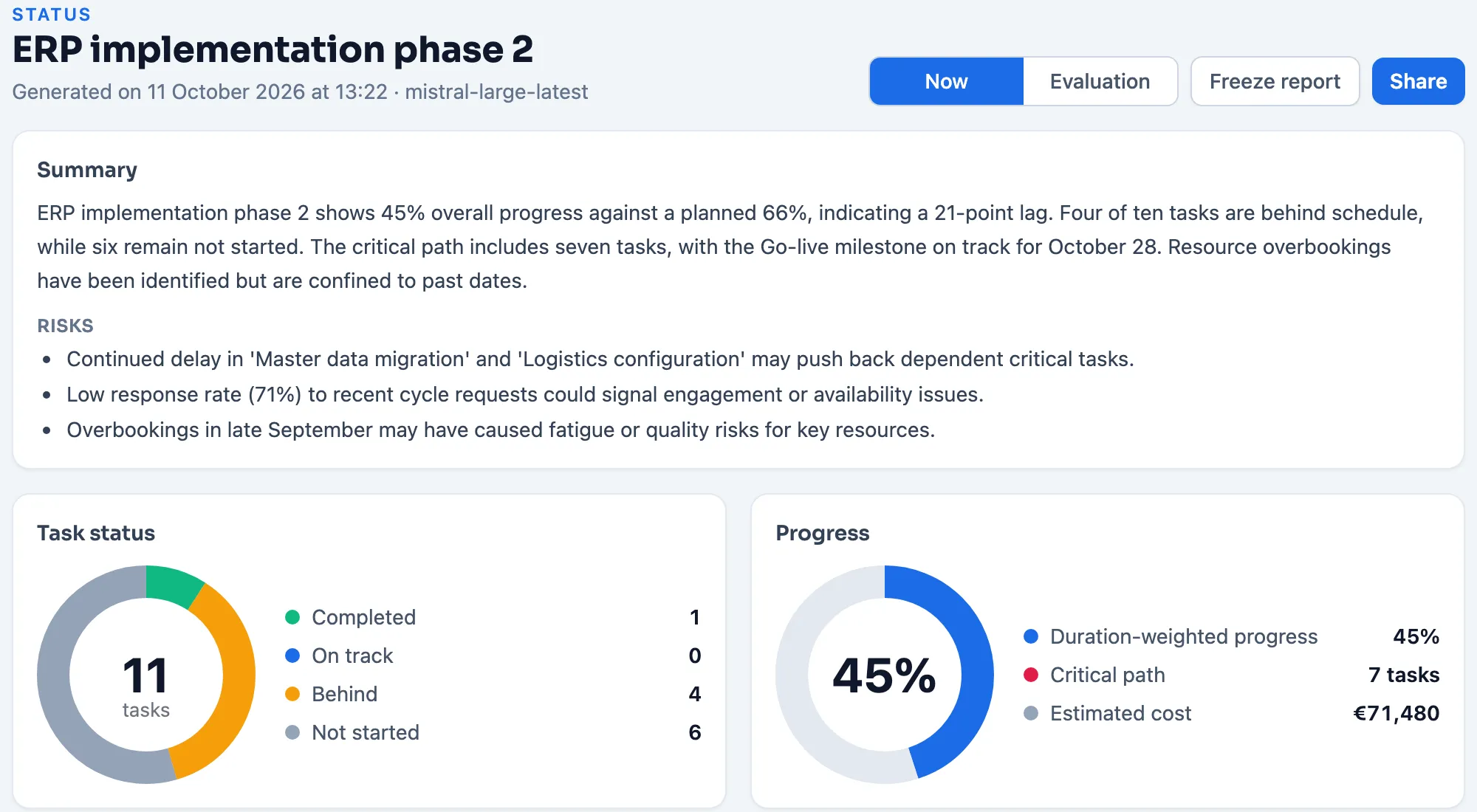
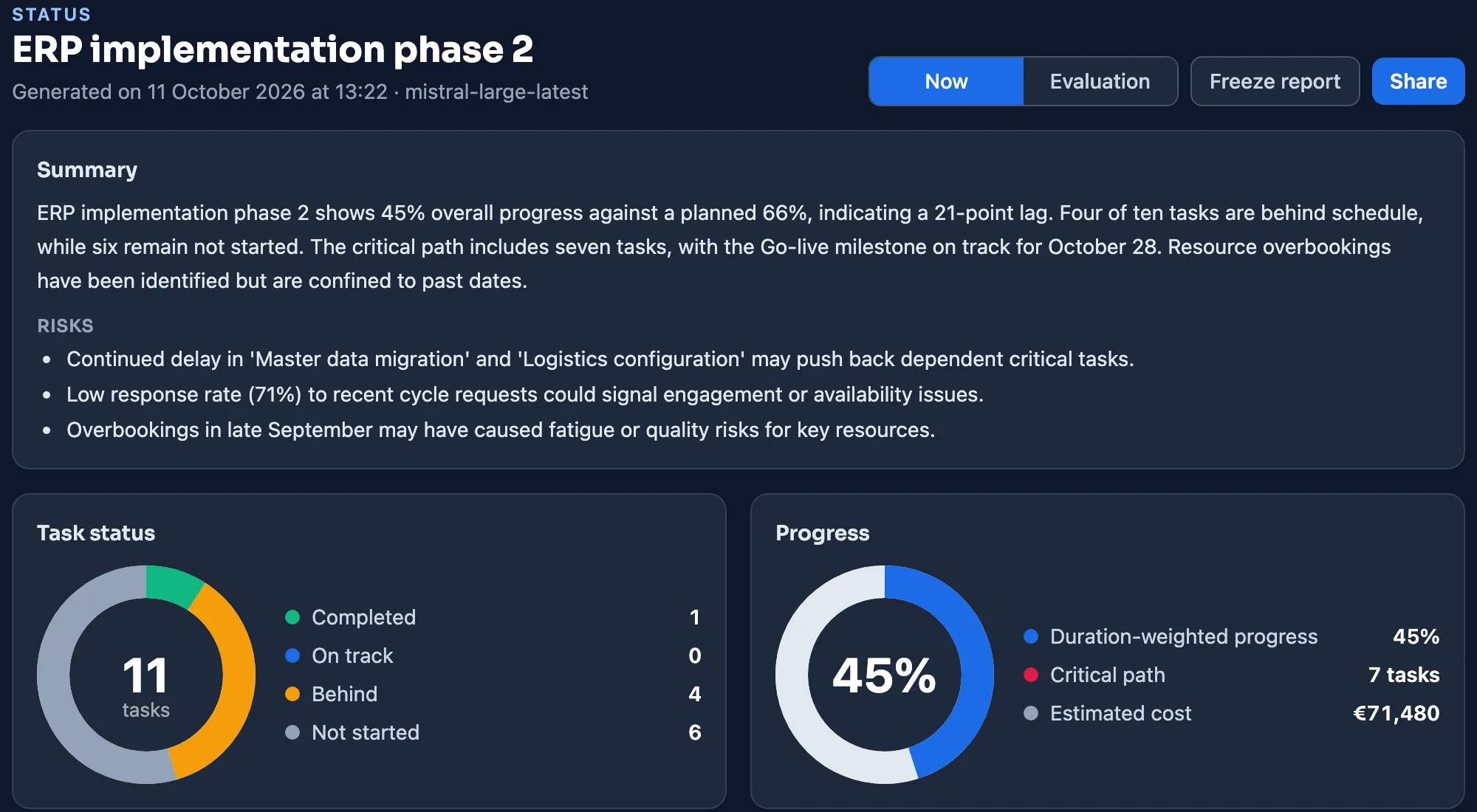
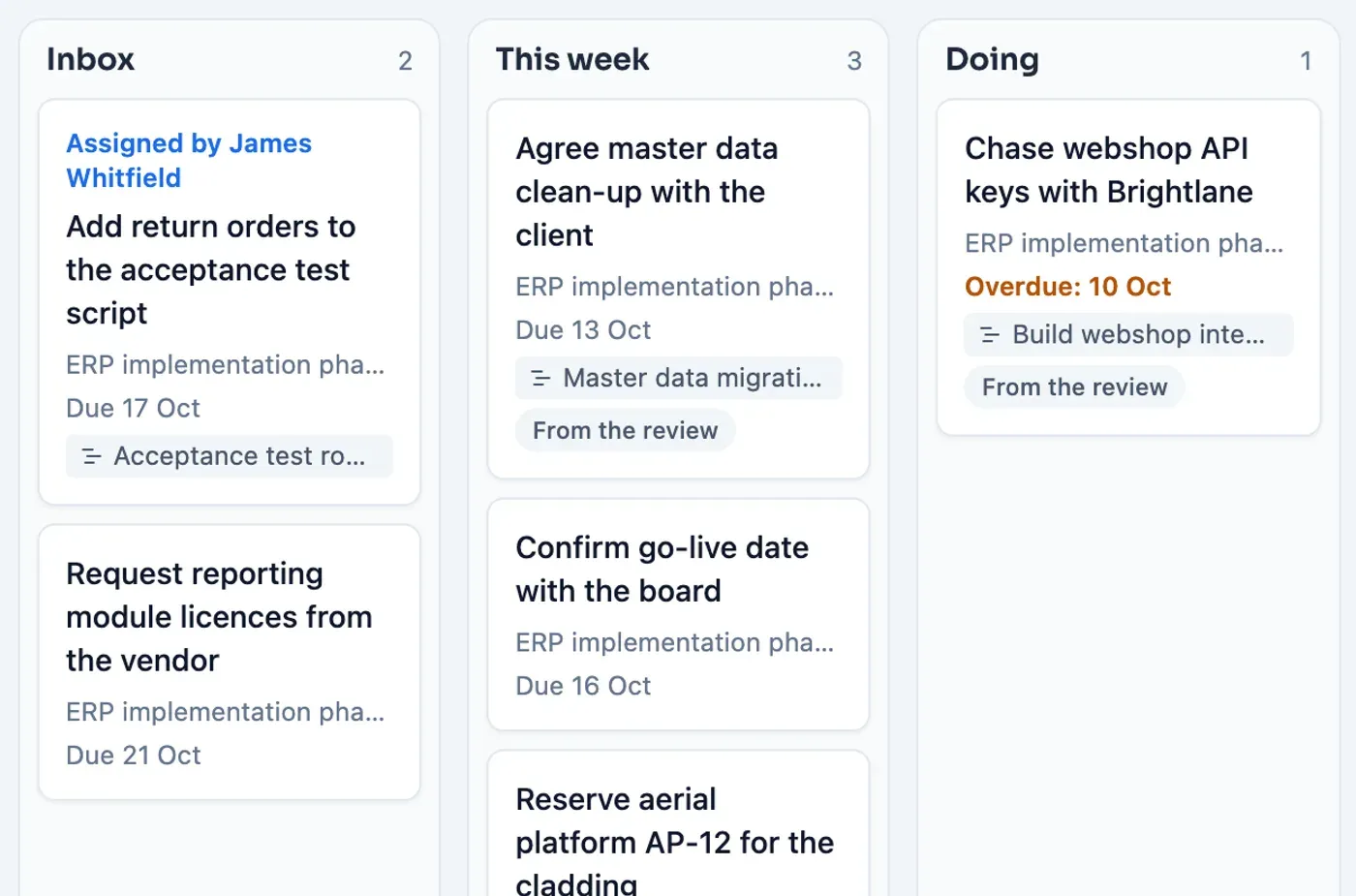
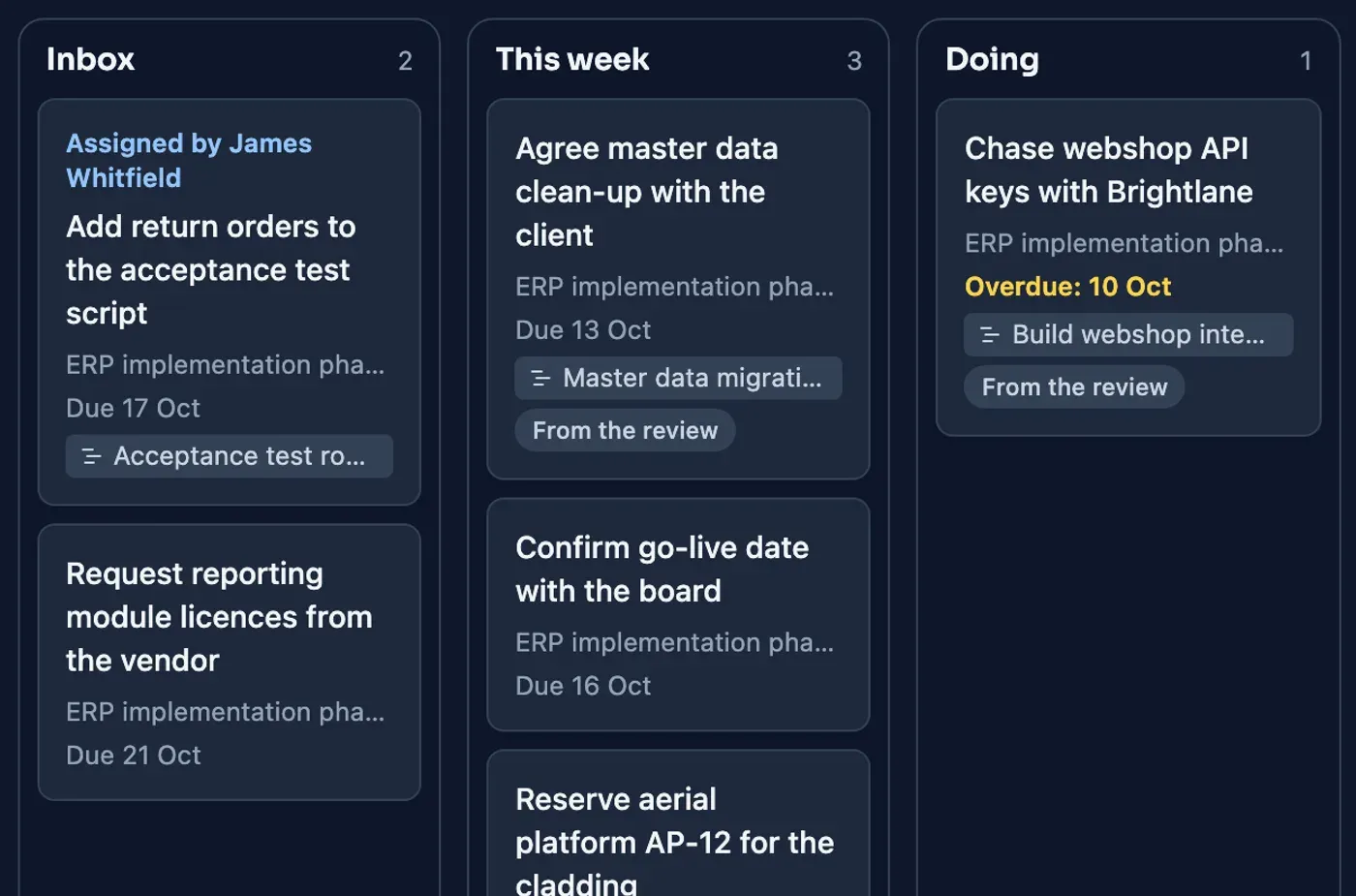
From finding to agreement
Whatever comes out of the review or the steering group gets an owner and a date right away. And what you report stays on record: with a version, a date and the difference from last time.
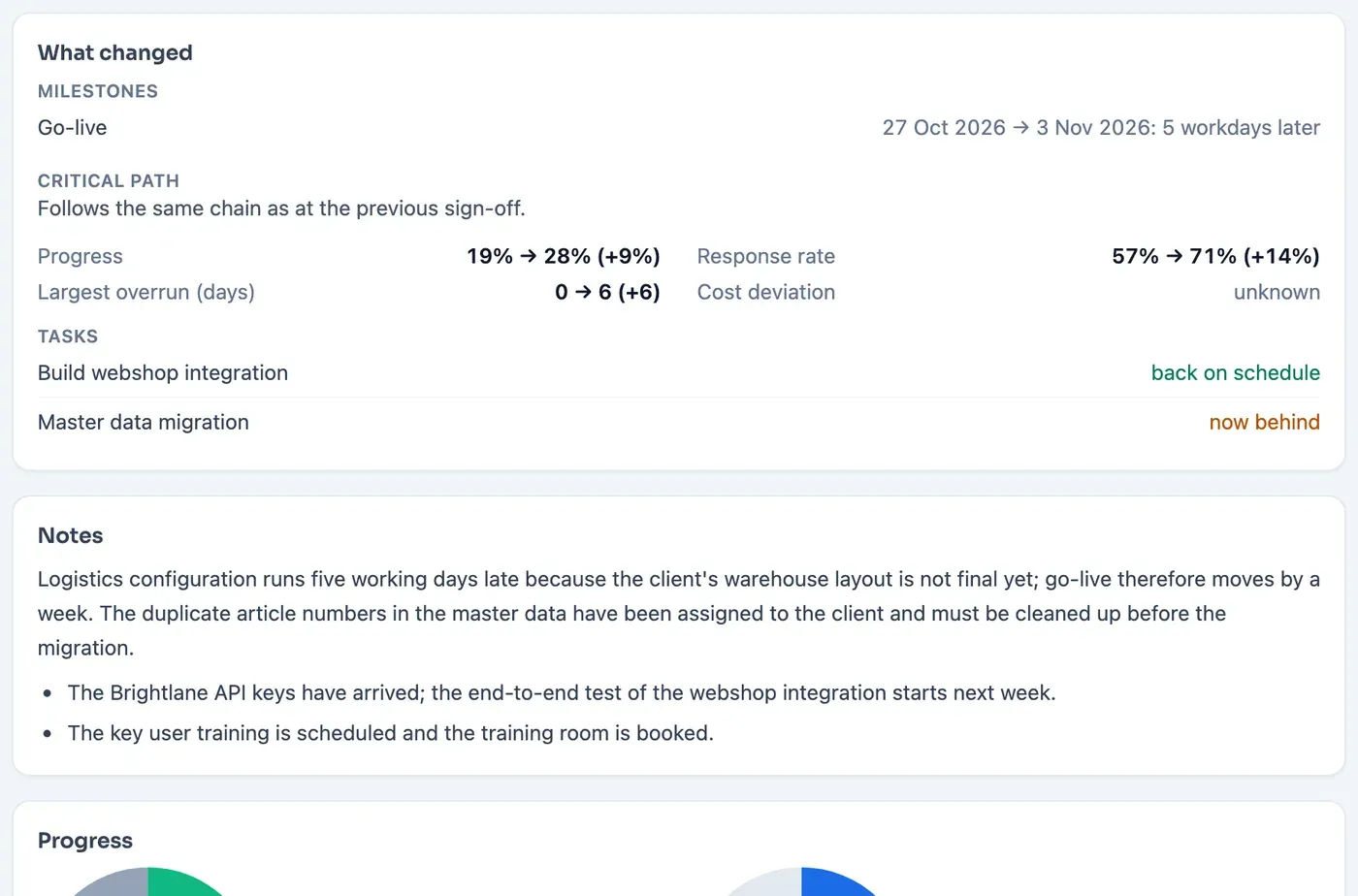
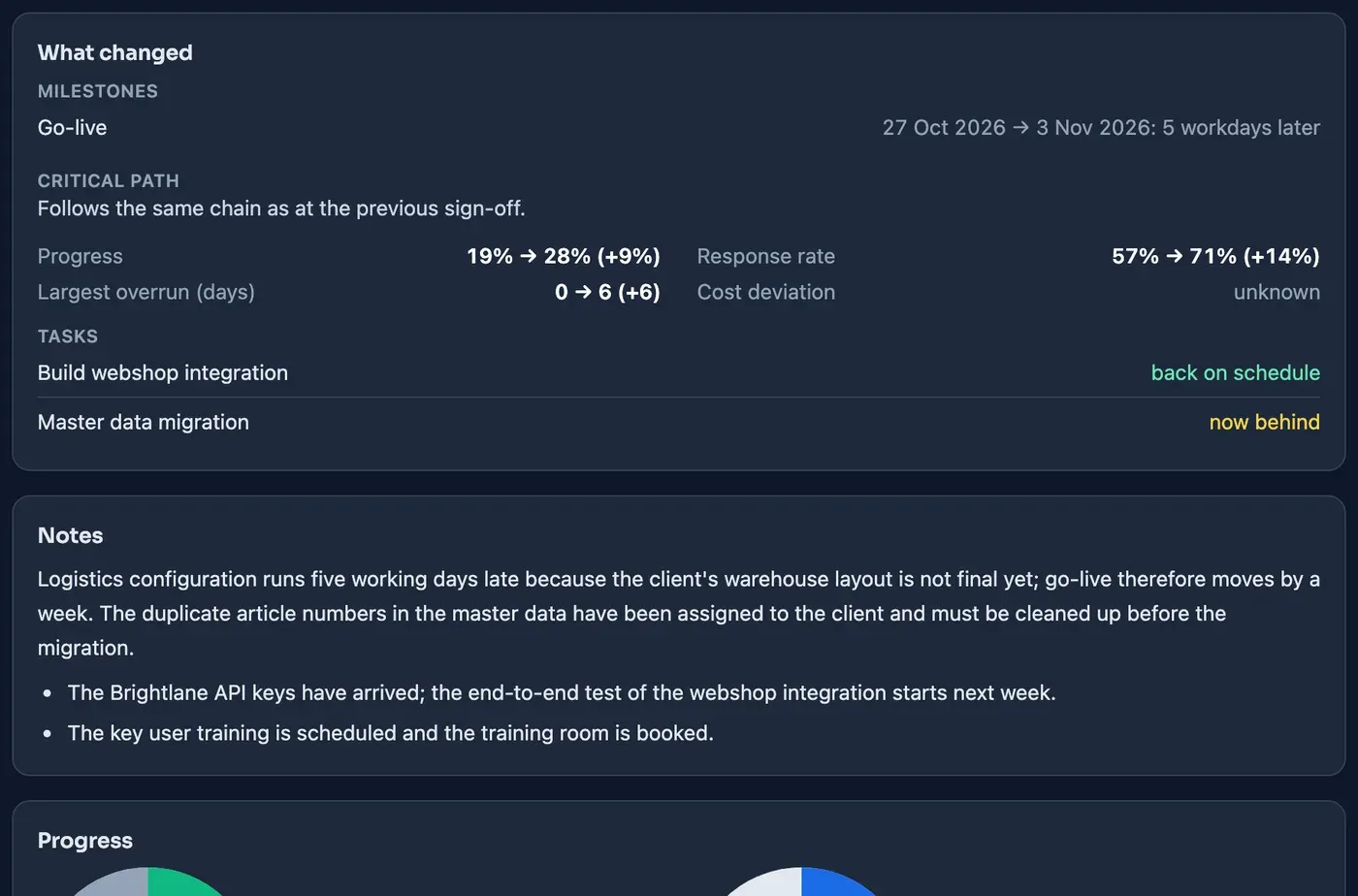
See where the work happens
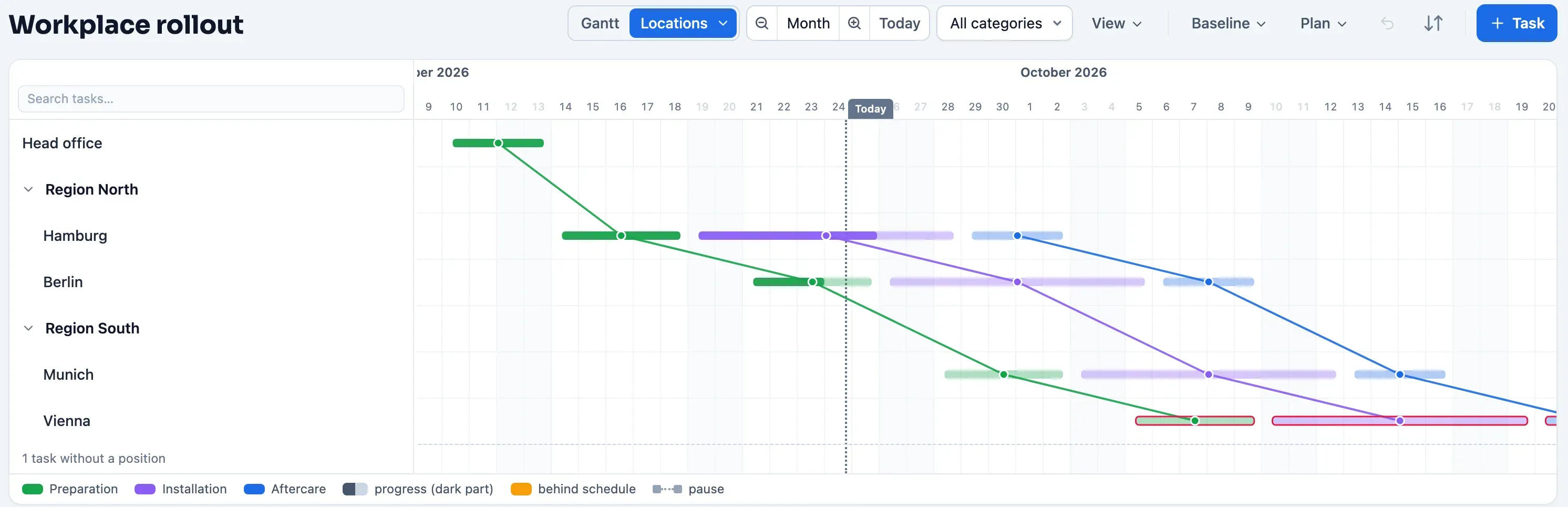
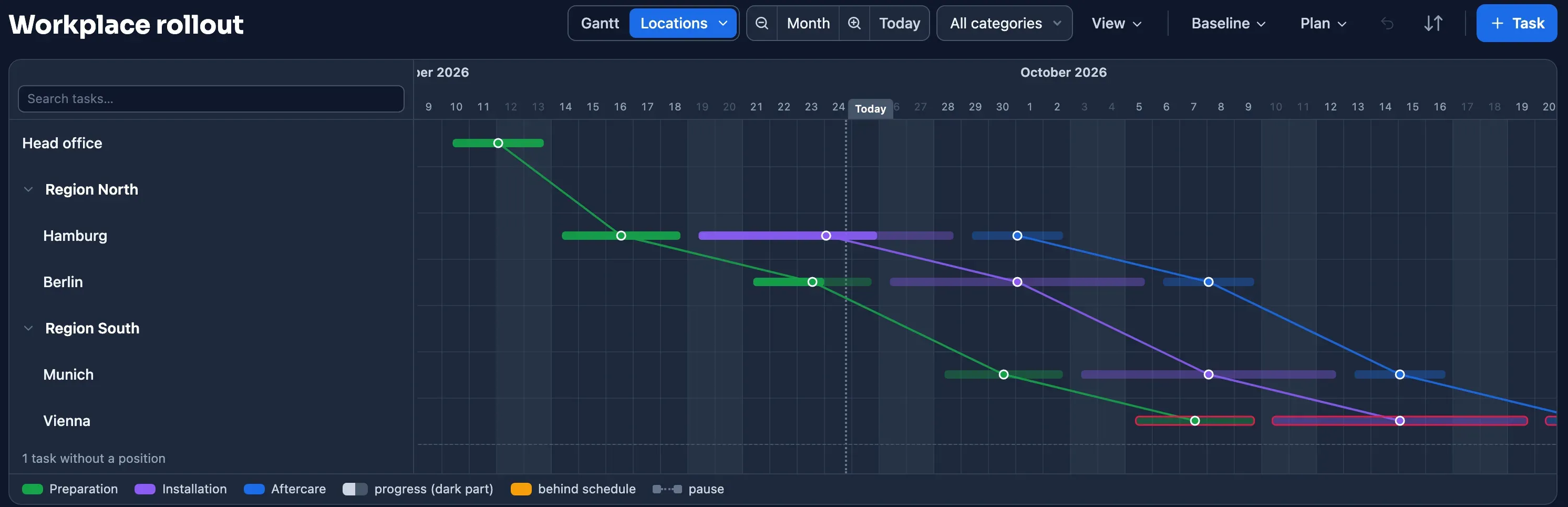
Organize tasks by the place where the work happens: sites, environments, building parts or floors.
- ✓ Conflict signal when two kinds of work meet at one place
- ✓ Progress and delays per place
- ✓ Reporters say where they are in the status request
Connects to what you already have
Bring work in from your existing tools and take the plan to where your team is already looking.
Bring work in
 Linear (sync)Read-only sync of a Linear project.
 Jira CloudImport a Jira project as a plan.
 MS Project XMLTake over plans with their phases; also after the end of Project Online on 30 September 2026.
 Excel (.xlsx) and CSVImport and export, always included.
 Microsoft PlannerRead a Planner board in as actions.
Take the plan to your team
 Microsoft TeamsNotifications in your team channel.
 SlackThe same, for teams that live in Slack.
 Calendar feed (ICS)The plan in Outlook, Google Calendar or Apple Calendar.
 Public APIRead access for Power BI, Zapier, Make or your own system.
Who is Plandeck made for?
For project leads, planners and coordinators who depend on people outside their own organization. You plan; reporters and viewers join for free.
- IT and ERP implementations
- Engineering and consulting firms
- Consortium and grant-funded projects
- Interim project managers
- Water authorities and public works
- Construction, infrastructure and installation
Plandeck excels at planning your project and, above all, at keeping that plan up to date. Time tracking, invoicing or chat you won't find in it; for those it works alongside the tools you already use.
Pay per project. Never per person.
From €2.50 per day per actively shared project. Viewers and reporters free; drafts free until you share.
€2.50 per day± €76 per month · 14 people join in for €0
Start with this modelHow the tiers work
| per project, per day | ≈ per project, per month | |
|---|---|---|
| Projects 1 to 5 | €2.50 per day | ± €76 per month |
| Project 6 and up | €1.75 per day | ± €53 per month |
Volume discount: from the sixth project on a lower rate applies. The daily rate is binding, the monthly amount indicative.
What is included?
All functionality is included. Besides AI, status requests, actions and integrations also:
- ✓Portfolio: every project on one timeline
- ✓Utilization and conflict alerts across projects
- ✓An organization-wide resource pool
- ✓A portfolio status with AI summary and PDF
- ✓Reports you can put on record: versions, finalising, the difference with the previous version and a PDF
- ✓The project-wide action overview and the Open actions block in the report
- ✓Read an action board from Microsoft Planner in as actions in one go
- ✓12 months of activity log
When do I pay?
- ✓Everything included: AI, status requests, actions, portfolio, reports, integrations and API
- ✓First 30 counted days free; then invoiced monthly, in arrears
- ✓Pausing or archiving stops the meter right away
Organization: fixed annual price
Fixed annual price for government and large organizations
- ✓One fixed amount per year, agreed up front, no meters
- ✓Unlimited planners and projects
- ✓Single sign-on on request (in development)
- ✓Custom data processing agreement and SLA
- ✓Annual invoice, no direct debit
All prices excl. VAT; a counted day is a day on which a project is actively shared. All terms and calculation rules.
Frequently asked questions
Is this a fit for us?
We worked in Microsoft Project Online. Can we switch?
Yes. Microsoft retired Project Online on 30 September 2026; since then the data there is no longer accessible. If you saved your plan in time, open it in Project desktop, save it as XML and import that file into Plandeck. Phases (summary tasks) come along as groups, with their tasks, milestones, dependencies, progress and calendars inside; resources and assignments don't come along, you set those up again in Plandeck. Good to know: Plandeck is not a portfolio or time-tracking suite. If what you mainly want back is the shared Gantt, with a status request that takes the upkeep off your hands, it fits. The sample project and the import preview let you try that without payment details.
I plan in Excel today. Why would I switch?
Excel is fine, until two people want to work in the file at the same time, a shifted task has to drag seventeen dependent rows along, or nobody knows anymore which version lives where. Plandeck automatically recalculates dependencies, the critical path and resource utilization, and keeps one current version of the truth. And you don't lose your Excel: exporting to Excel, CSV and PDF is always included.
What can Plandeck not do?
Plandeck is not time tracking, not an invoicing package, not a chat tool and not a scrum board for software teams; loose agreements around your project do get a place on the action board. It is not a BIM viewer either: per task you record which objects from your model belong to it, but you view 3D models in your own BIM tool. Plandeck does one thing very well: building and guarding (multi-year and) complex project plans, and keeping them continuously up to date through automated status requests. For everything else it works seamlessly with what you already have, through import, export, integrations and calendar feeds.
Does Plandeck work if we're agile or follow SAFe?
Yes, and that's where it shines. Within a sprint your board and your backlog stay in charge; Plandeck doesn't replace them. What Plandeck adds is the overview above that: a PI plan or programme as a team view on a sprint grid, with the dependencies between teams drawn as lines in the schedule instead of sticky notes on a board. Sync your Linear projects and teams and cycles land on that view and that grid automatically. Beyond that, it fits everything outside the sprints: fixed delivery dates and permits you have to plan backwards from, work with suppliers, contractors and crews that don't know sprints and aren't in your systems, and the timeline that procurement, finance or the client wants to see. Plans break down precisely between the agile part and everything else. That's where our periodic status request helps: people outside your organization report their progress without an account, and you see in one overview where things are shifting.
Does Plandeck work for linear projects or work across multiple locations?
Yes. Besides phases and kinds of work, you organize tasks by the place where the work happens: sites in a rollout, environments in a migration, building sections or floors. The locations view shows per kind of work where it happens and when, and two kinds of work at the same place at the same time get a conflict signal. For roads, rail, pipelines, dikes and cables there is the time-distance diagram: tasks get a position range in chainage and you see the work move along the alignment. If you work in a fixed rhythm, you lay a takt grid over it; if part of the work stands still because of a site shutdown or frost, you handle that with a task calendar for just those tasks.
How that works for construction, civil engineering and installation
We use Linear, Jira, Microsoft Planner, Teams or Slack. Does that clash?
No, it fits right in. A Linear project syncs read-only: issues become tasks, teams and cycles land on the dimension and the grid, and a status change in Linear arrives as a proposal in your review; Plandeck never writes back. You import Jira Cloud projects directly, notifications arrive in Teams or Slack if you want them to, and plans show up as a calendar feed in Outlook, Google Calendar or Apple Calendar. Did your team work in Microsoft Planner until now? Export the board to Excel and read it into Plandeck as actions in one go: buckets become columns, you map names to project members, and the schedule itself stays untouched.
Does Plandeck have an API?
Yes, a read-only REST API. Under Integrations you create a key and choose which projects it may read; with it you pull tasks, milestones, dependencies, locations, resources, calendar, status measurements and baseline into Power BI, Zapier, Make or your own system. The key reads as a viewer: no rates, no planners-only notes, no contact details of resources. Sharing through a key counts as sharing: a draft project becomes active, just like when you add a viewer. Writing through the API and outgoing webhooks are on the roadmap.
How much time does it take to get started?
You import an existing plan directly from MS Project (XML), Excel, CSV or Jira, and it's usually in place within a few minutes. With a large or old plan there is almost always some cleanup work on dependencies and calendars afterwards, because that's exactly where most existing plans are sloppy. Starting without an existing plan works too: let the AI turn a few questions into a draft setup and adjust it.
How does it work?
Do my subcontractors, key users and project partners have to create an account?
No, and that's deliberate. Anyone who only needs to report status gets an email with a personal link: click, fill in progress, done. If you work with locations, a reporter also says in one click where they are at that moment. No password, no app to install, no "I lost my login"; opening a link in your email works anywhere, on site too. The planner sees all the answers in one clear overview instead of fishing them out of ten calls and chat messages. Want to view the plan yourself on the move? Install Plandeck as an app on your phone or tablet.
What if someone doesn't respond to the status request?
It happens, and that's why not responding is a signal in itself. You see per resource who has and hasn't responded: in the response overview with the status request, and in the summary you receive by email at the end of every round, names included. So you don't have to remember who still needs a call; you see who it is in one overview. In practice the email form works better than a system someone has to log in to, precisely because there's no password and no app in between.
What do I do with agreements from the review or the steering group?
You turn them into actions: from a review item with one click, with the reporter's text as a note and the task linked, or directly from your board. An action has an owner and a due date and sits on My actions, the personal board of whoever picks it up, next to the tasks assigned to them. Assign an action to a colleague and they get it for acceptance, with an email; whatever is declined comes back to you with the reason, so nothing gets lost. The board is there for everyone with an account and costs nothing. The overview of all actions in a project and the Open actions block in the report are part of the Professional add-on.
I plan for a client or a steering group. What do they see, and who owns the plan?
You make your client, steering group or board viewers, for free. Viewers see live what you see: the schedule, Status with the current picture and the progress reports you finalise per period, with version, finalisation date and the difference from the previous version. So there is no need to send a PDF around anymore; anyone who wants one downloads it themselves. Who owns the plan is something you decide up front. If you plan in your own organization, the plan is yours as long as you manage the project; your viewers don't see your other projects. If you'd rather plan inside your client's organization, that works too: one account can be a planner in several organizations, the plan belongs to the client from day one and you simply step out at the end of the engagement. Either way everything stays exportable to Excel, CSV and PDF. What you never do is hold the plan hostage in a tool the client can't reach.
Can I work in English, including with partners abroad?
Yes. Plandeck is fully bilingual, Dutch and English, including the manual and the assistant. Every user picks their own language, and the status request and the reporter portal follow the language of your organization, so a subcontractor abroad simply receives an English request. You also pick your own currency: the cost estimate in the schedule, the status report and the PDF exports can be shown in euros, but just as well in dollars, pounds, Swiss francs or kronor, with the right symbol and notation. That choice applies to your whole organization; amounts are never converted, and Plandeck's own invoices always remain in euros.
What does that AI do exactly? Will it touch my plan?
No. The AI (Mistral, a European model) reads the incoming status responses and sorts them for you: progress updates are applied directly, anything that would change your plan comes to you for review first. You also get a readable summary in Status out of it, and on an empty project the AI can draft a first setup if you want; you only place it after you have reviewed and adjusted it yourself. In a report the AI never writes uninvited: the text block is yours. Afterwards, on request, the AI writes an evaluation: what happened against the agreement and what you learn from it. It is about tasks and causes, never about people. The AI saves you work; you make the decisions.
How do I see whether a deadline is going to bite?
Plandeck continuously calculates the critical path: the chain of tasks that determines the end date. If something shifts there, you see immediately what it does to your delivery, and also right away what it does to your budget. Shifting counts in working days: a three-day task stays three working days, even when it moves across a weekend or a day off. If you set a baseline, you additionally see in black and white how the current plan deviates from the original one. The utilization of your people and equipment is guarded as well, including help with resolving overallocations, and if you work with locations, Plandeck also sees where two kinds of work end up at the same place at the same time.
Pricing and terms
What does Plandeck cost for a team of fourteen people, compared to per-user pricing?
With Plandeck nobody pays per person. You pay per actively shared project, per day. Watching along, planning along, viewing reports, picking up actions and reporting status: the whole team joins for free. A company with 2 planners, 12 viewers and 3 shared projects pays ± €228 per month (excl. VAT). With per-user pricing you'd be paying for fourteen licenses for that same team, and resource planning is usually a separate module there. If you share 1 project, it's ± €76 per month; with 10 projects ± €647, because from the sixth project on a lower rate applies. The difference is also in what you have to do on top. Critical path, work calendars with public holidays, planning backwards from a delivery date, resource load: on a broad platform someone has to set that up and keep maintaining it; with us you're planning after one afternoon. And the automated status request, the action board and AI are standard in every plan. Prefer a fixed amount? There is also a rate per planner per month, with unlimited projects.
Can I just stop, or put a project on hold for a while?
Yes, at any time. You're not tied to a contract or a notice period: pause or archive a project and the meter stops right away. Only the per-planner rate runs per month or per year and renews automatically. When you pause, the status requests, calendar feeds and Teams or Slack notifications stop, but your planners can simply keep working; a winter break or a wait for a permit costs you nothing. If only part of the work stands still, such as the site during a shutdown while the design team keeps working, you give just those tasks a task calendar with the closed days. When you archive, the project is frozen: nobody changes anything anymore, but everything stays readable and exportable, for viewers too. One rule to know: every activation counts a minimum of 30 days, so if you stop a project after a week, it still counts 30 days; on your first project those usually fall entirely within your free days. If you come back later, everything is still there.
What does it cost to get started?
Nothing. Signing up asks for no payment details, creating drafts is free and unlimited, and your first 30 counted days are free as well; they appear as a discount on your first invoice. You won't be staring at an empty screen either. You start in a sample project, and a real project is up in two minutes: let the AI turn a few questions into a first draft setup, or import your existing plan from MS Project (XML), Excel, CSV or Jira. An interactive tour and an extensive manual then help you get the most out of Plandeck. Paying only starts when you actively share a project: adding someone, switching on a status request, activating a calendar feed, turning on a Teams or Slack integration for the project or including the project in an API key. If you never do that, you never pay; your data simply stays readable.
Can I pass the costs on to my project or my client?
Yes, the model is built for that. Your invoice itemizes each project on its own line, with the project name, the number of counted days and the amount. So you book the costs straight through to the right project budget or to your client, without having to split a license line across people who have nothing to do with it. For implementation partners, consulting firms and interim project managers that's often the difference between an IT budget you need approval for and a project line you simply include in your quote.
Security and privacy
Where is my data stored?
In Europe, with a European cloud provider, and that's where it stays. The AI, the email delivery and the analytics run on European services too. Our website uses no ad trackers and sets no analytics cookies, hence: no cookie banner. A data processing agreement comes standard with Plandeck; you receive it on request through the contact form.
How long do you keep my team's responses?
A resolved report, with its comment, stays findable for the project leads for 24 months after resolution: per task in the history and per project in the archive. The measurements behind it (time and reported progress) are kept for 36 months. Delete the project and everything goes earlier. The full retention periods are in the privacy statement in the app; they belong in the data processing agreement too.
How secure is it?
Preferably you log in with a passkey (fingerprint or face recognition); otherwise two-factor authentication is mandatory for everyone who can change the plan, including colleagues who would never set it up themselves. Viewers get urgent advice to do the same. That's deliberate: your plan reveals who works where, contains your team's contact details and shows what's going on at your clients. A leaked or guessed password is still the most common way in, and a second step makes such a password worthless to an attacker. Permissions are enforced on the server, not just in your screen: a viewer cannot edit the plan; at most they can report progress on their own tasks, along the same secured and reviewed route as the status request.
Am I allowed to just enter email addresses of external parties?
For an ongoing collaboration in which that person plays a role, you are: you process their business contact details to coordinate the work, just as you email or call them today. Plandeck uses those addresses solely for this project. We don't sell them, don't use them for marketing and don't put them into other projects. Unsubscribing is always possible too: at the bottom of every status request the recipient can pause themselves until a date or stop permanently. Open requests are withdrawn immediately and you get a notification, so you know you'll need to collect that progress another way from then on. A data processing agreement that lays this down comes standard with Plandeck; you receive it on request through the contact form.
Does my data stay mine?
Of course. You always take everything with you: exporting to Excel, CSV and PDF is included, and so is the export of the activity log. We want to keep customers because it works, not because leaving hurts.
Is your question not listed? Ask it through the contact form.
Want to see where your end date really is?
Import your plan or let the AI draft one and see your critical path within ten minutes. Free, no payment details; paying only starts when you actively share.
Build your first scheduleNo payment details · no notice period · export always included · hosted in the EU